Theming
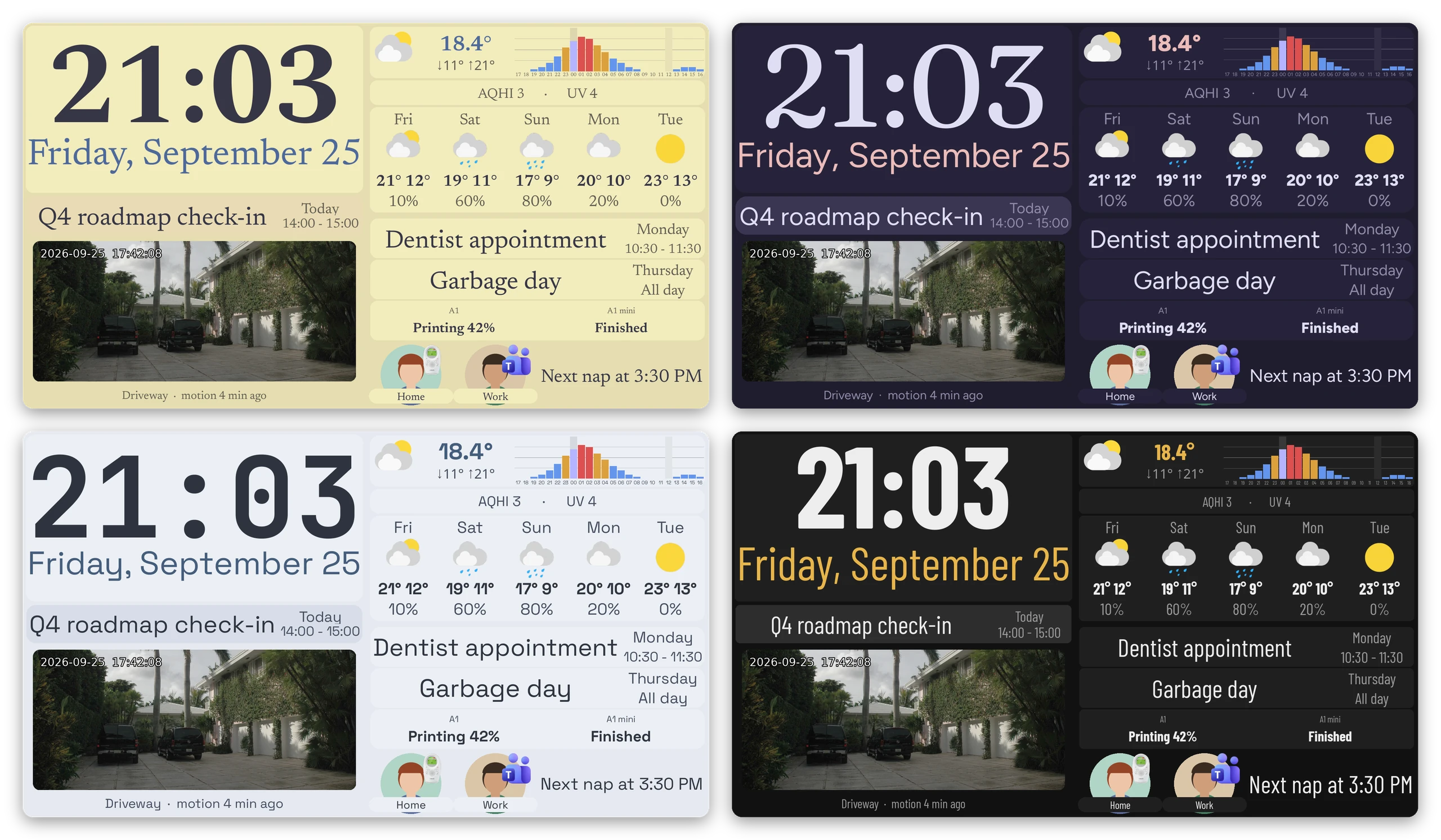
The theme: block in widgets.yaml lets you define colors, fonts and sizes
once and refer to them by name from the rest of the file. It also lets you set defaults per widget
type, so that most widgets don't need to specify them at all.
theme:
  colors:
    panel: '#3b4252'
    text: '#eceff4'
    text-muted: '#a3afc2'
  fonts:
    regular: fonts/Inter-400.ttf
    bold: fonts/Inter-800.ttf
  sizes:
    radius: 25

  groups:
    text-like: [text, rest, provider, notifiabletext, label]
  defaults:
    text-like:
      font_path: !font regular
      color: !color text
    grid:
      widget_background_color: !color panel
      widget_corner_radius: !size radius

widgets:
  - widget: grid
    children:
      - widget: text
        text: Kitchen              # font_path and color come from the theme
      - widget: text
        text: 21.4°
        color: !color text-muted   # a widget's own value always wins
Tokens
There's a bit of magic here. Every key under theme other than groups and defaults is a token
section, and the name of the section is also the YAML tag used to read from
it: !color panel refers to theme.colors.panel, and !font regular to
theme.fonts.regular. You can name sections whatever you like: if you add a
spacings: section, !spacing tight will work. A tag matches a section with
the same name, with or without a trailing s.
Tokens can be used anywhere a literal value can, including inside mappings and lists such as a grid's per-cell overrides:
A theme entry can itself be a token (e.g. panel-raised: !color panel). If you
refer to a name that isn't defined, Grydgets fails at load time with an error
that names the section and lists the entries it does contain. A loop between
entries is also an error.
The top-level keys accept tokens too, so that a theme can change the
background of the whole dashboard. However, theme.defaults can't be applied
to them.
theme:
  colors:
    screen: '#1b1b1b'
  images:
    screen: images/background.jpg

background_image: !image screen
background_color: !color screen
If you want a flat color instead of a wallpaper in one of your themes, set
images.screen to null and the screen will use background_color instead.
Keep in mind that a theme file has to define everything the
base theme does, so it needs an images.screen entry even if it's null.
Defaults
theme.defaults is keyed by widget type. Every widget of that type that doesn't
set a parameter itself gets the value from the theme:
However, many widget types draw text even though they aren't text widgets (rest,
provider, and so on). theme.groups lets you give a name to a set of widget
types, so that you can apply the same defaults to all of them at once:
  groups:
    text-like: [text, rest, provider, notifiabletext, label]
  defaults:
    text-like:
      font_path: !font regular
A default set on a specific widget type always wins over one set on a group that the type belongs to.
Keep in mind that if you don't want a specific widget to pick up a default, you have to override it explicitly (for example with widget_corner_radius: 0).
Tokens only work in the widgets file. Using one in conf.yaml or providers.yaml is an error.
Theme files
The theme: block in the widgets file is the "base" theme, and it's what gets
used unless you say otherwise. You can pass --theme FILE to replace it with values from a different file:
A theme file contains the same things you'd write under theme: (the token
sections, groups and defaults), but they must be at the top level of the file, without
the theme: key:
colors:
  text: '#2e3440'
  panel: '#d8dee9'
fonts:
  regular: fonts/Inter-400.ttf
  bold: fonts/Inter-800.ttf
sizes:
  radius: 25

groups:
  text-like: [text, rest, provider, notifiabletext, label]
defaults:
  text-like:
    font_path: !font regular
    color: !color text
  grid:
    widget_corner_radius: !size radius
The theme file replaces the base theme completely: nothing from the base theme
is merged in, and tokens used in the theme file's defaults are resolved
against the theme file itself. This means that a theme file has to define (at least)
everything the base theme does, groups and defaults included. Grydgets checks the file when
it's loaded and fails with an error that lists any missing entries. Defining
more than the base theme is fine.
Relative paths inside a theme file are resolved from --config-dir, like
everywhere else. The file is read again on hot reload, so you
can edit a theme and send SIGUSR1 to see the result without restarting.
You can also configure two theme files in conf.yaml instead of one on the
command line, and have the dashboard switch between them at sunrise and sunset.
See Day and night themes.
Setting the theme over HTTP
If appearance.http_control is true, you can POST
to /theme on the HTTP server to force a specific
theme regardless of the sun, or to hand control back to it. Without that
setting the endpoint returns 404.
curl -X POST -H "Content-Type: application/json" \
  -d '{"mode": "night"}' http://localhost:5000/theme
# {"success": true, "mode": "night", "following_sun": false,
#  "held_until": "2026-08-09T23:56:59+00:00"}
mode:day,night, orautoto follow the sun again from now.hold(optional): How long your manualdayornightchoice lasts.next(the default) holds it until the sun's next sunrise or sunset, and then goes back to following the sun.foreverholds it untilautois sent or the dashboard restarts.
With the default, next, you can force the night theme in the afternoon
and the dashboard will still switch back to the day theme the next morning.
Use forever if you want to keep it that way until you change your mind.
If there are no coordinates configured, there's no sunrise or sunset to wait for, so the theme will never change on its own.
You can also GET the same URL and receive a report of the current state without changing it:
curl http://localhost:5000/theme
# {"success": true, "mode": "day", "following_sun": true, "held_until": null,
#  "next_change": "2026-08-09T23:56:59+00:00", "next_mode": "night"}
If there is only one theme, or if --theme was passed on the command line,
the endpoint returns a 400 saying so. The same happens if you send auto
without any coordinates configured. A 404 means http_control is off.